Glasses that work with XRAI
The smart glasses the XRAI app supports, and how each one connects.
The XRAI app shows captions on your phone, tablet or Mac without any glasses. With glasses, the captions appear in your view while you look at the person speaking.
| Glasses | How they connect |
|---|---|
| XRAI AR2 | Bluetooth, from the XRAI app on iPhone or Android. See Pair your AR2. |
| XREAL Air, Air 2 and Air 2 Pro | USB-C to an Android phone, with the XREAL version of the XRAI app. See Set up XRAI with XREAL glasses. |
| XREAL Beam Pro | The XRAI app runs on the Beam Pro, with XREAL glasses plugged into it. See Use XRAI on an XREAL Beam Pro. |
| QONOQ MiRZA | The MiRZA version of the XRAI app on an Android phone. See Set up XRAI with QONOQ MiRZA. |
| RayNeo X2 | The XRAI app runs on the glasses and pairs with your phone using a code. See Set up XRAI on RayNeo X2. |
| Glasses that mirror your screen | Any glasses or display that shows a copy of your phone's screen. See AR subtitles and screen mirroring. |
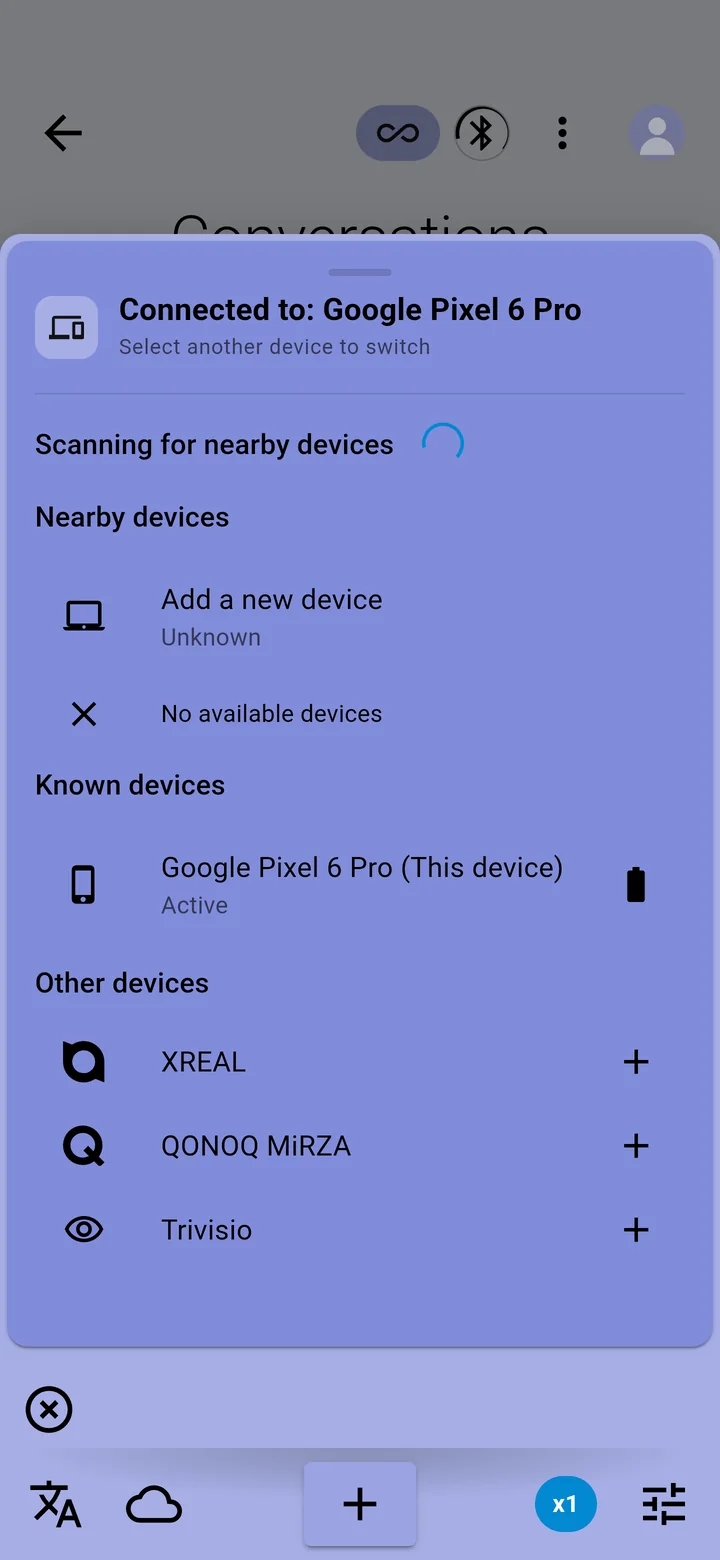
To see the glasses the app offers on your phone, tap your picture → Devices and look under Other devices.