Reset and re-pair your AR2
If your XRAI AR2 won't connect or keep dropping, remove them from your phone's Bluetooth, restart them and pair again.
Most connection problems clear when the phone forgets the glasses and pairs with them again.
1. Forget the glasses on your phone
iPhone
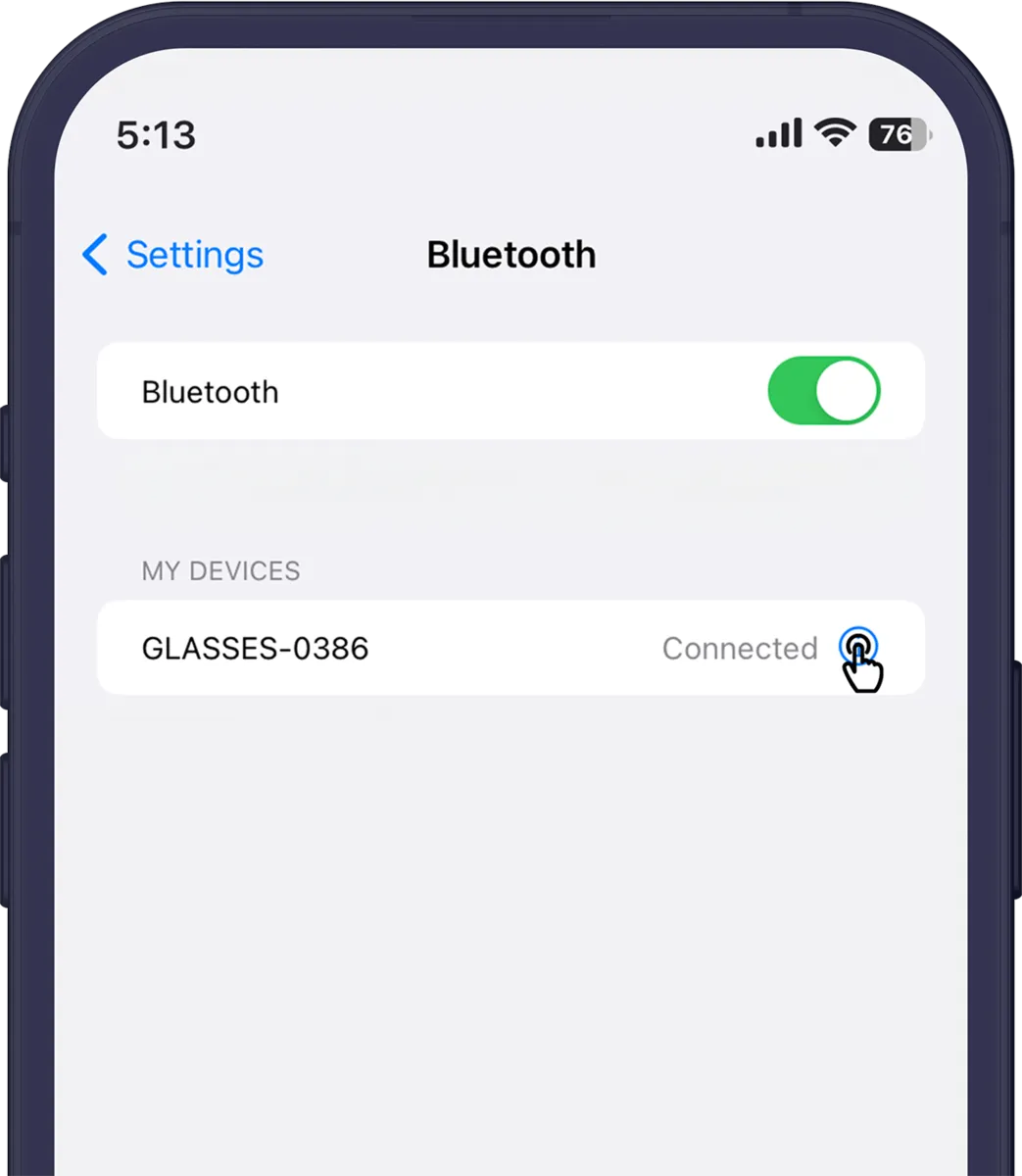
- Open Settings → Bluetooth.
- Find your glasses (GLASSES- and four digits) under My Devices and tap the i next to them.
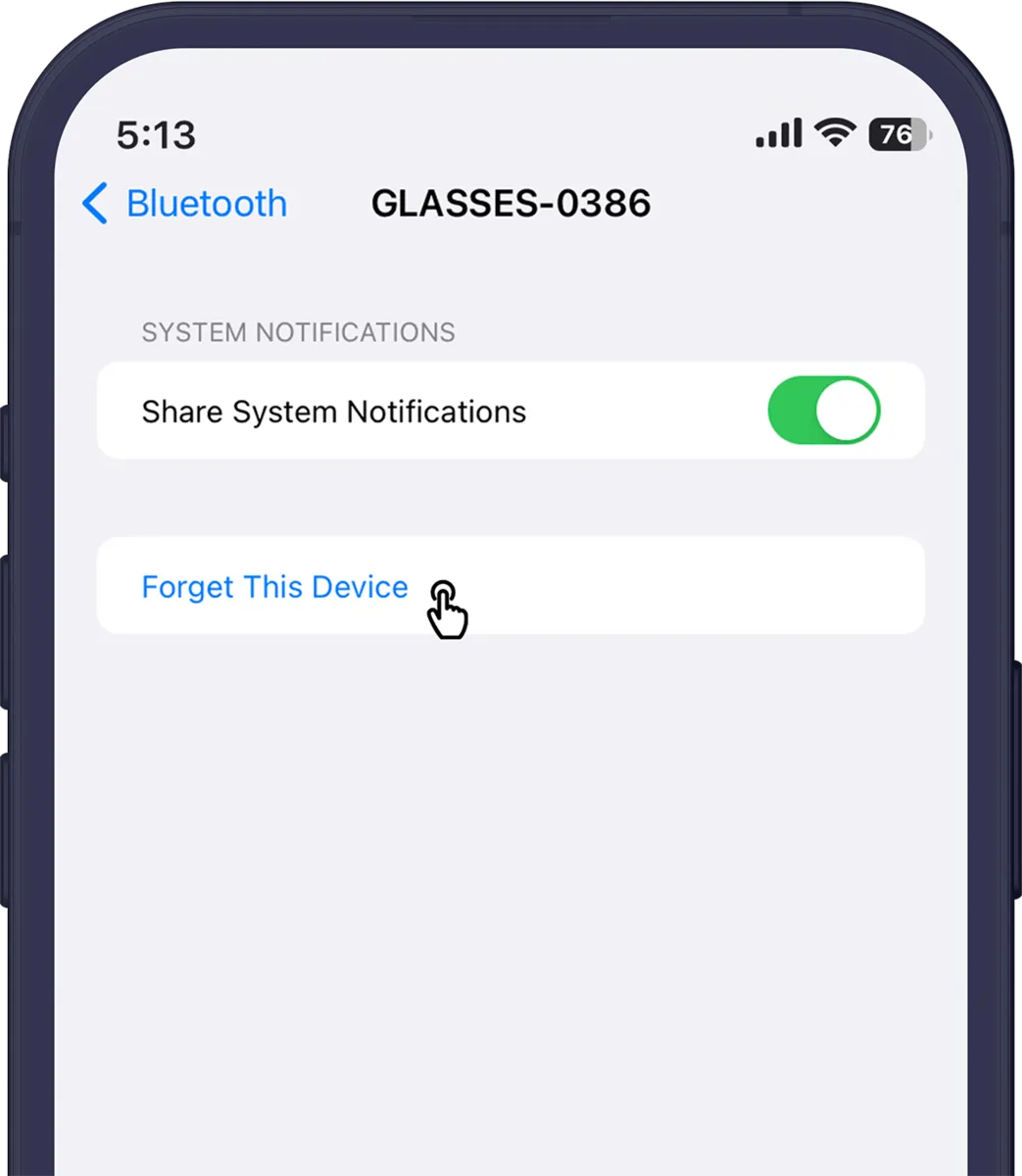
- Tap Forget This Device, then confirm.
Android
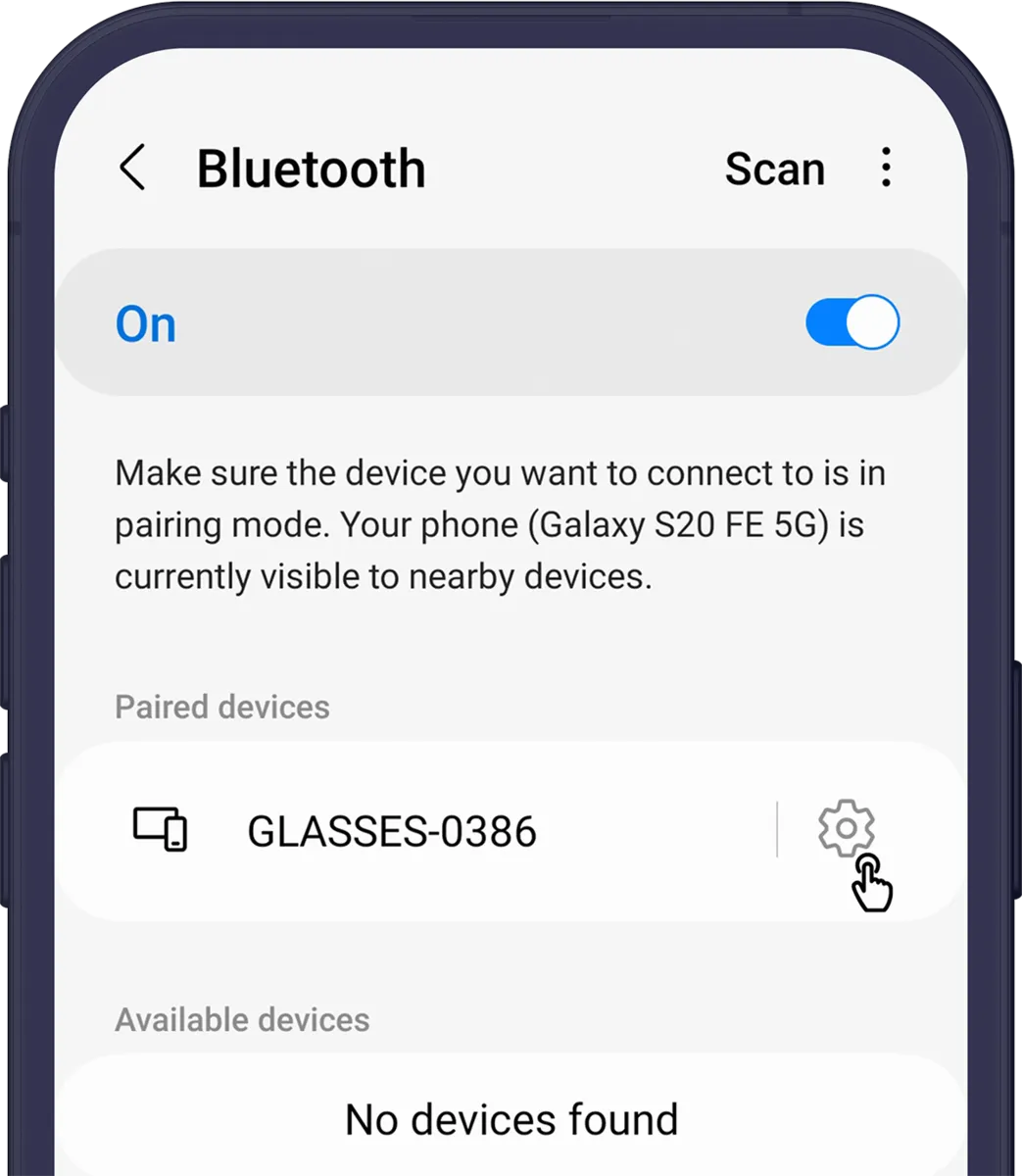
- Open Settings → Connections → Bluetooth. On some phones it's Settings → Connected devices.
- Tap the settings icon next to your glasses.
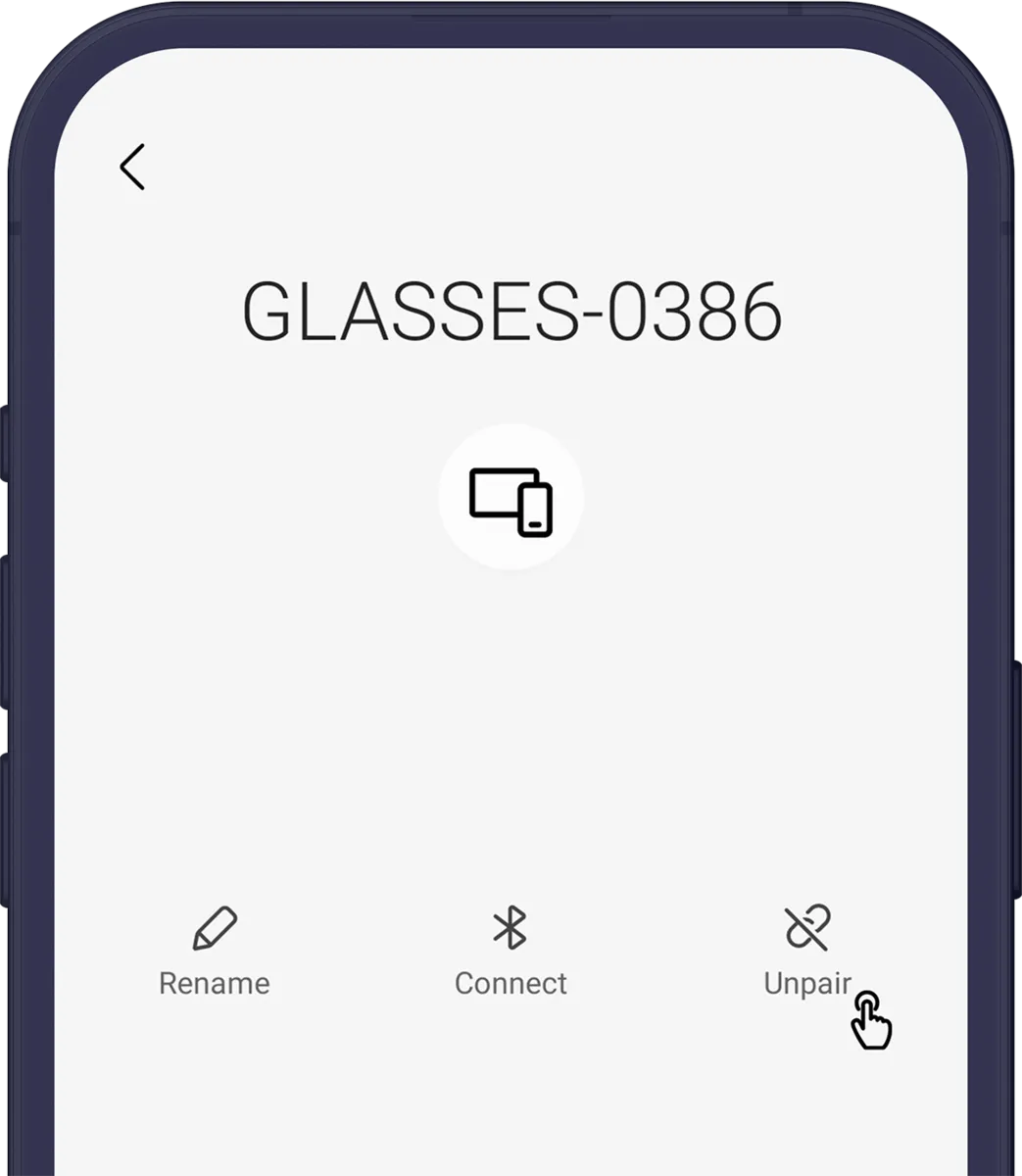
- Tap Unpair or Forget.
2. Restart the glasses
- Hold the power button for 3 seconds to turn the glasses off.
- Hold it for 1 second to turn them on again.
3. Reopen the app and connect
- Close the XRAI app completely, then open it again.
- When the app finds your glasses, tap Connect.
- Tap Pair on your phone's pairing request.
If the app doesn't offer to connect, pair the glasses as new: see Pair your AR2 with the XRAI app.