
When an organisation provides XRAI for you, it may ask you to link your XRAI account to it. Linking lets the organisation's administrators see how XRAI is being used under their agreement.
What your organisation can see
Once your account is linked, your organisation's administrators can see your name and email address, and your session history: when each session started, how long it lasted, the Pro minutes it used, the device and app version, and the languages. They can't see your captions or anything that was said.
Link your account
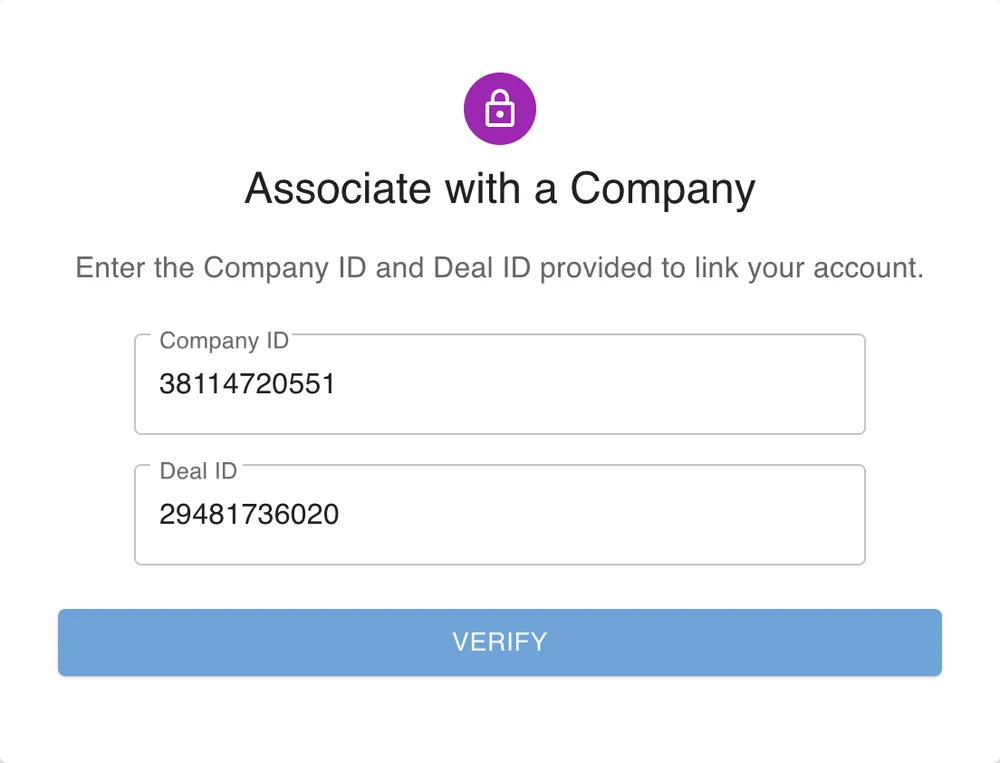
You need two numbers from your organisation: a Company ID and a Deal ID.
- Sign in at account.xrai.glass and click Link Account.
- Enter the Company ID and Deal ID and click Verify.
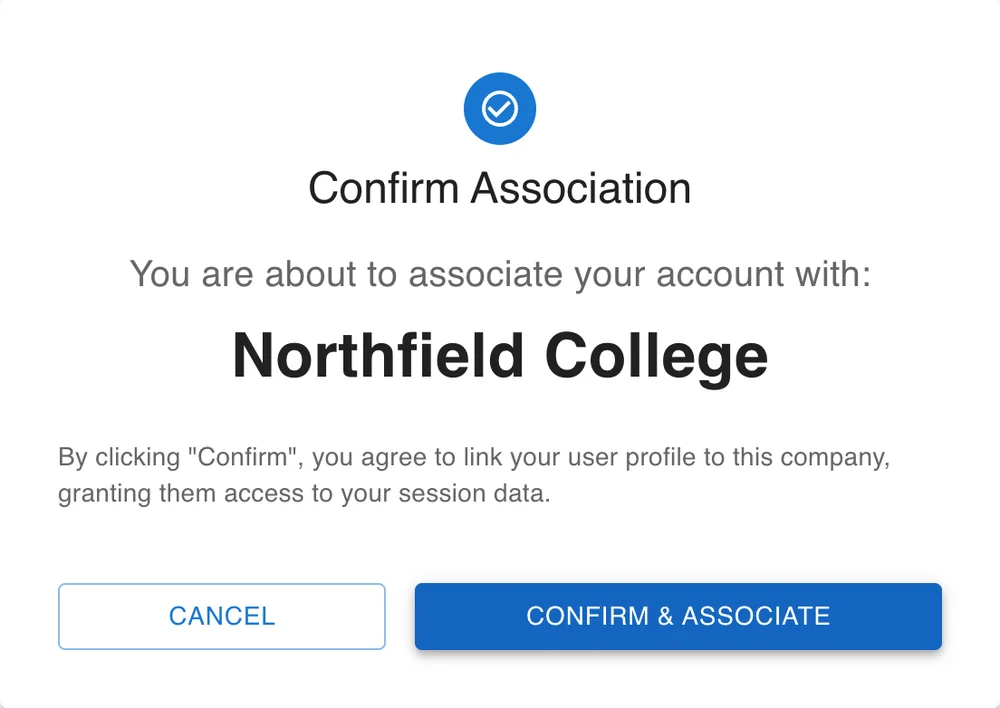
- Check that Confirm Association shows your organisation's name, then click Confirm & Associate.
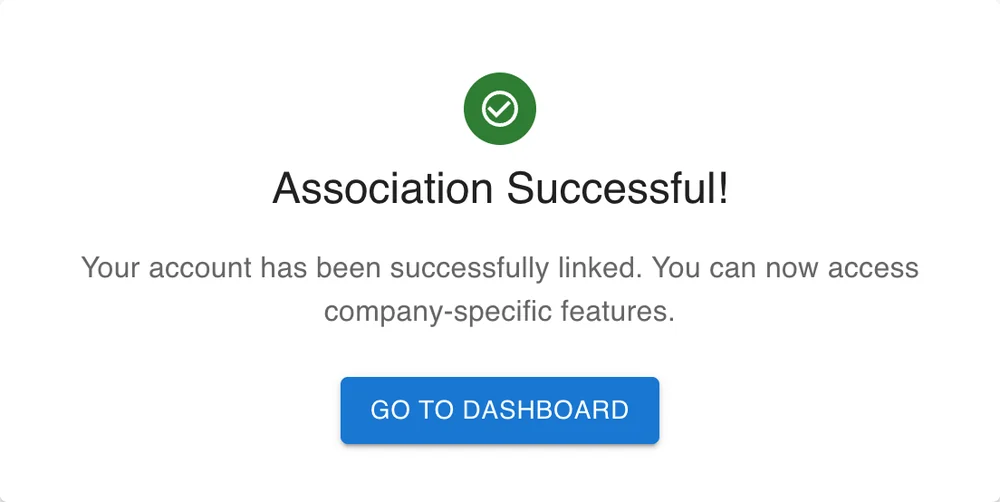
- Association Successful! confirms the link. Click Go to Dashboard.
After a few minutes, your organisation's agreement also appears in your Order History.
If it doesn't work
| Message | What to do |
|---|---|
| The specified Company ID is not valid. | Check the Company ID with your organisation. |
| The Deal ID is not associated with the provided Company ID. | The two numbers don't belong together. Check both with your organisation. |
To remove the link, email support@xrai.glass from the email address on your XRAI account.