
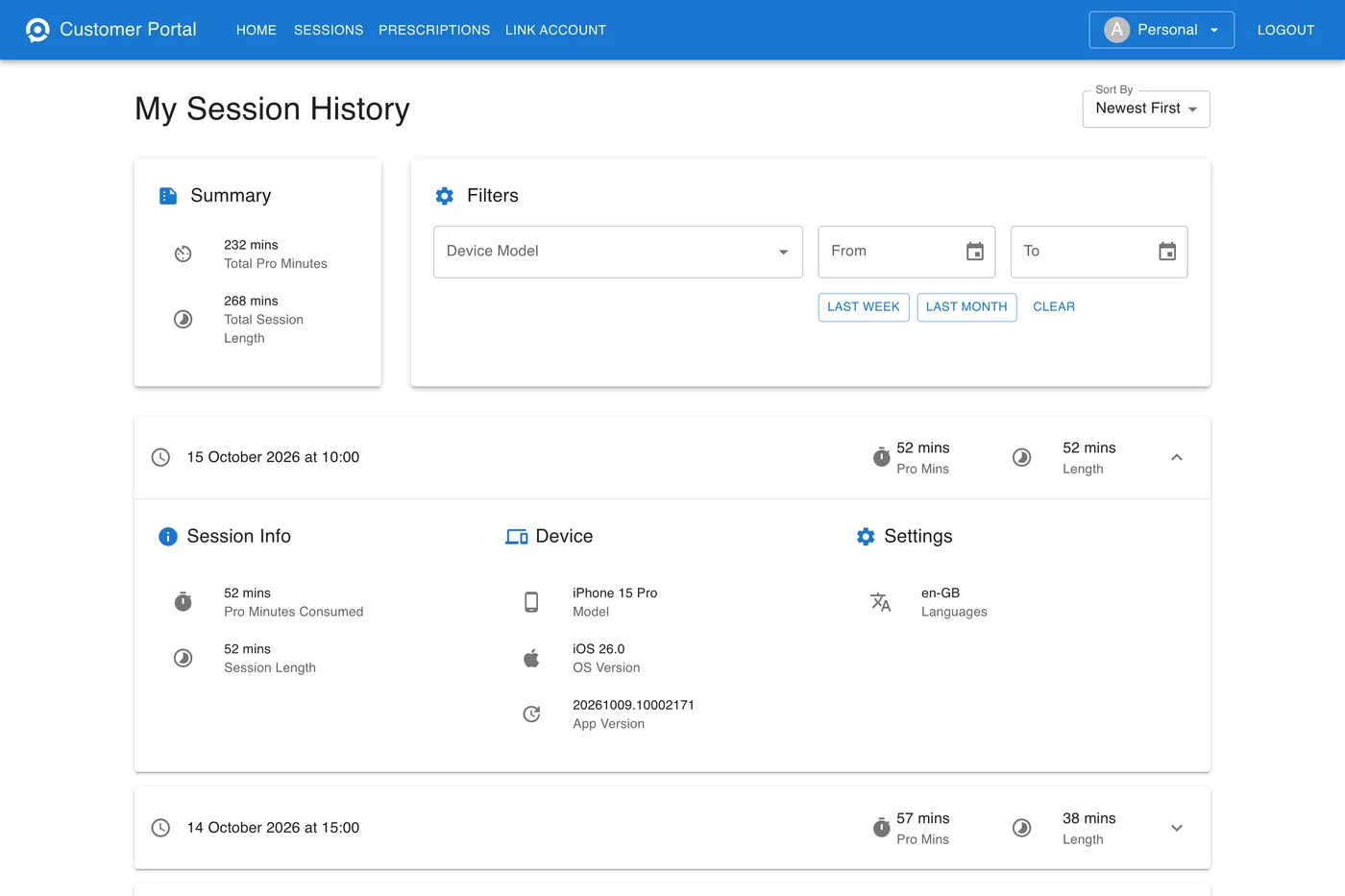
The Sessions page at account.xrai.glass lists every time you have captioned with XRAI, newest first. Open it from the menu, or click Consumed on Home.
Find sessions
- Filters narrow the list by Device Model and by date, with From and To, or Last Week and Last Month. Clear removes them.
- Sort By shows the newest or the oldest sessions first.
- Summary adds up the Total Pro Minutes and Total Session Length of the sessions shown, so a filter for last month gives last month's totals.
Session details
Each row shows when the session started, the Pro minutes it used and its length. Click a row for the rest:
| Section | What it shows |
|---|---|
| Session Info | Pro Minutes Consumed and Session Length. |
| Device | The phone, computer or glasses used, its operating system, and the XRAI app version. |
| Settings | The language captioned, or both languages when translating, such as en-GB -> fr-FR. |
Pro minutes can differ from the session's length. A cloud engine counts each minute, translation and a cloud voice count more, and engines that run on your phone count none. See Pro minutes.
A session usually appears within a quarter of an hour of ending.