
At account.xrai.glass you can see your XRAI account in a web browser: your Pro minutes, your orders and their delivery, your subscriptions, and every session you have used XRAI for. It is also where you enter a prescription for AR2 lenses and link your account to an organisation that provides XRAI for you.
Sign in
- Open account.xrai.glass and click Login.
- Sign in the same way you sign in to the XRAI app. The portal shows the account that belongs to that email address.
If the portal says Failed to fetch dashboard data, it found no XRAI account for the email address you signed in with. Sign in with the same method you use in the app, or email support@xrai.glass.
Home
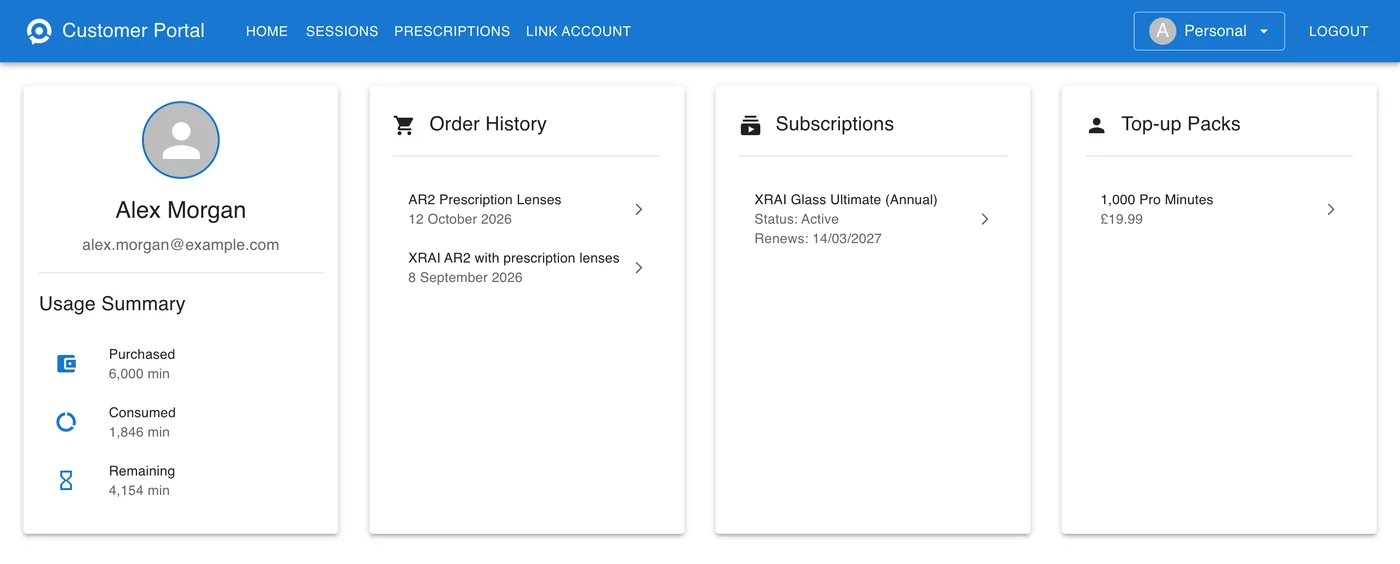
| Panel | What it shows |
|---|---|
| Usage Summary | Purchased: the Pro minutes your plans and top-up packs have given you. Consumed: the Pro minutes you have used; click it to open your sessions. Remaining: what is left. |
| Order History | Your orders. Click one for its details and delivery. |
| Subscriptions | Each subscription with its status and renewal date. |
| Top-up Packs | Packs of Pro minutes you have bought, with their price. |
To see how Pro minutes are counted, see Pro minutes.
Order details and delivery
Click an order to open its details below the panels. Order Summary shows the order number, date, total and status; Active means the order is confirmed. The details also list the items and, for AR2 orders, the billing and delivery addresses.
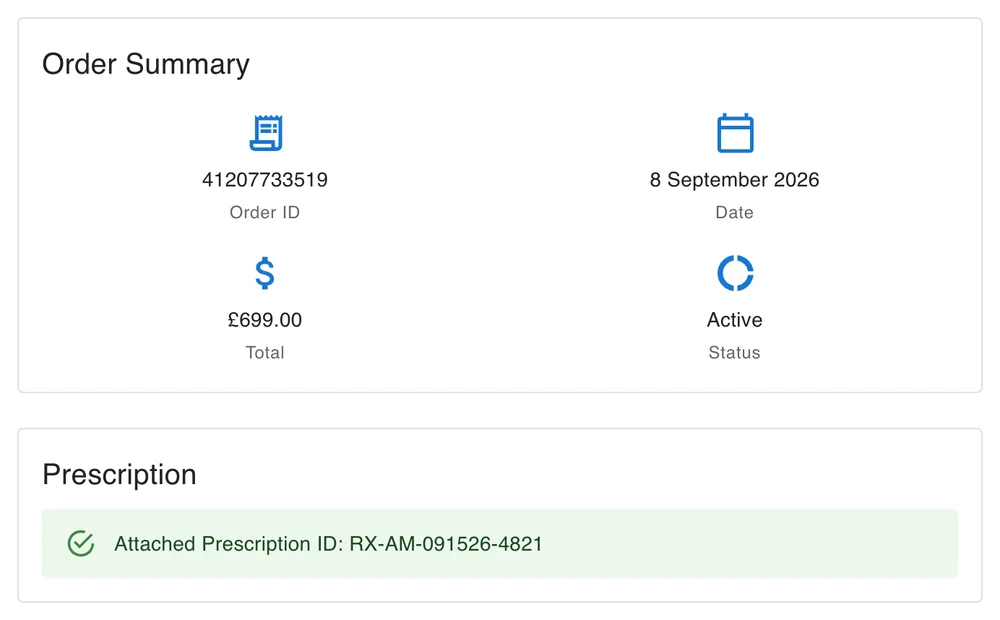
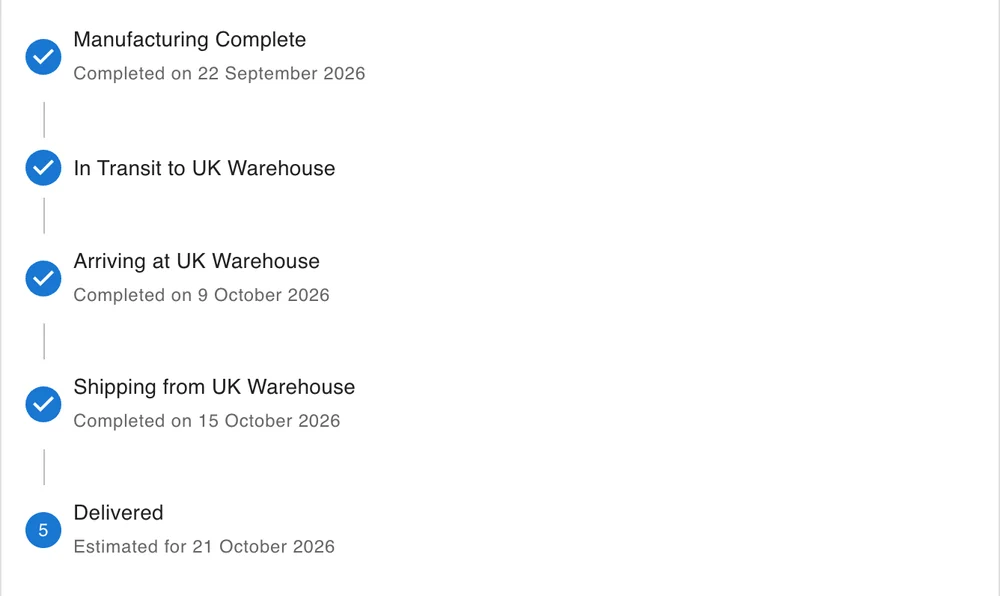
AR2 orders show Tracking as each stage is reached: Manufacturing Complete, then in transit to, arriving at and shipping from the warehouse that serves your country, and Delivered with its estimated date. Until your order is in a shipping batch, Tracking says Shipping details coming soon. An order with prescription lenses also shows its prescription: see Enter your prescription for AR2 lenses.
Subscriptions
Click a subscription to see its plan, status, start date, renewal date and payments. Subscriptions bought in the XRAI app are managed in the App Store or Google Play: see Manage or cancel your subscription. For any other subscription, Cancel Subscription asks you to email support@xrai.glass.