
One phone can show captions on up to seven pairs of AR2 at once: the pair you connect, and up to six more nearby. Each pair can show every language, or only one.
Connect the pairs
- Switch on all the pairs and keep them near your phone.
- Connect your own pair as usual. See Pair your AR2 with the XRAI app.
- Once your pair has connected, the app connects the other pairs it found nearby, one after another.
- Start captioning. Every connected pair shows the captions.
A pair switched on after yours has connected joins the next time your pair connects.
Your pair and the others
- The other pairs show captions only. The app listens through your phone or your own pair.
- In Devices, only your own pair shows as Connected.
- When your pair disconnects, the others disconnect too.
Choose a language for each pair
- Tap your picture, then Devices.
- Under Nearby devices, tap the language button beside a pair, next to its + or −.
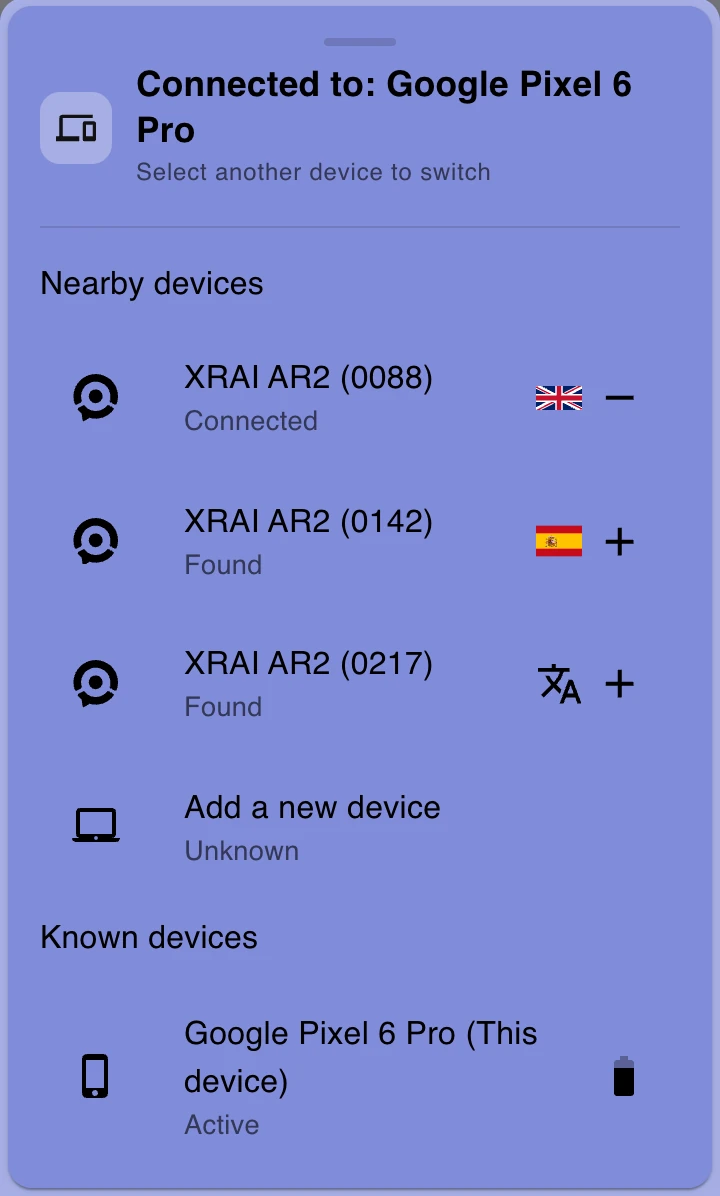
- Choose what that pair shows:
- Any language: every caption, as on a single pair. Each pair starts with this.
- A language you chose: only the captions in that language.
- Other language: whichever language is detected that isn't one you chose. It's offered when your spoken language is set to Automatic and you're translating.
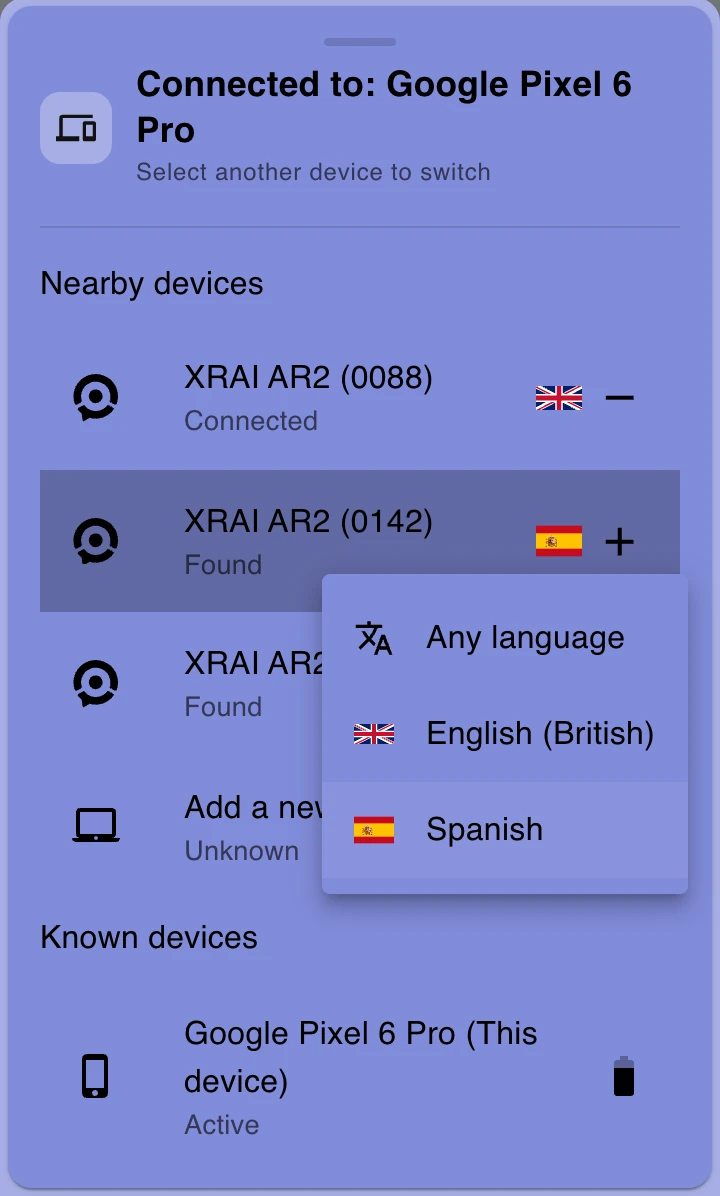
The button shows each pair's choice: a flag for one language, a magic wand for Other language, or the translate icon for Any language.
The app remembers each pair's choice. If you change your languages so that it no longer applies, the pair shows every caption until it applies again.
Example: a conversation in two languages
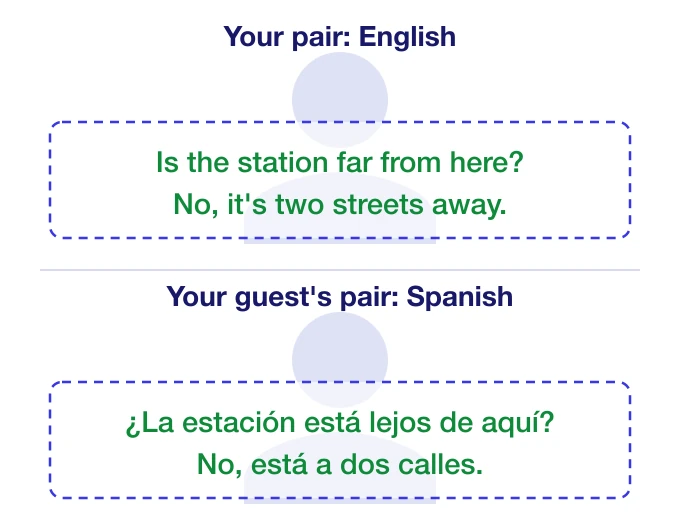
You speak English and your guest speaks Spanish, with Autoreverse on. Give your guest a second pair. Set your pair to English and theirs to Spanish: each of you reads the whole conversation in your own language. See Two-way conversations with Autoreverse.
For help, email support@xrai.glass.