Choose languages and translate
Tell the XRAI app which language is being spoken, and translate the captions into another language.
Tap the languages icon in the bottom-left corner of the conversation screen.
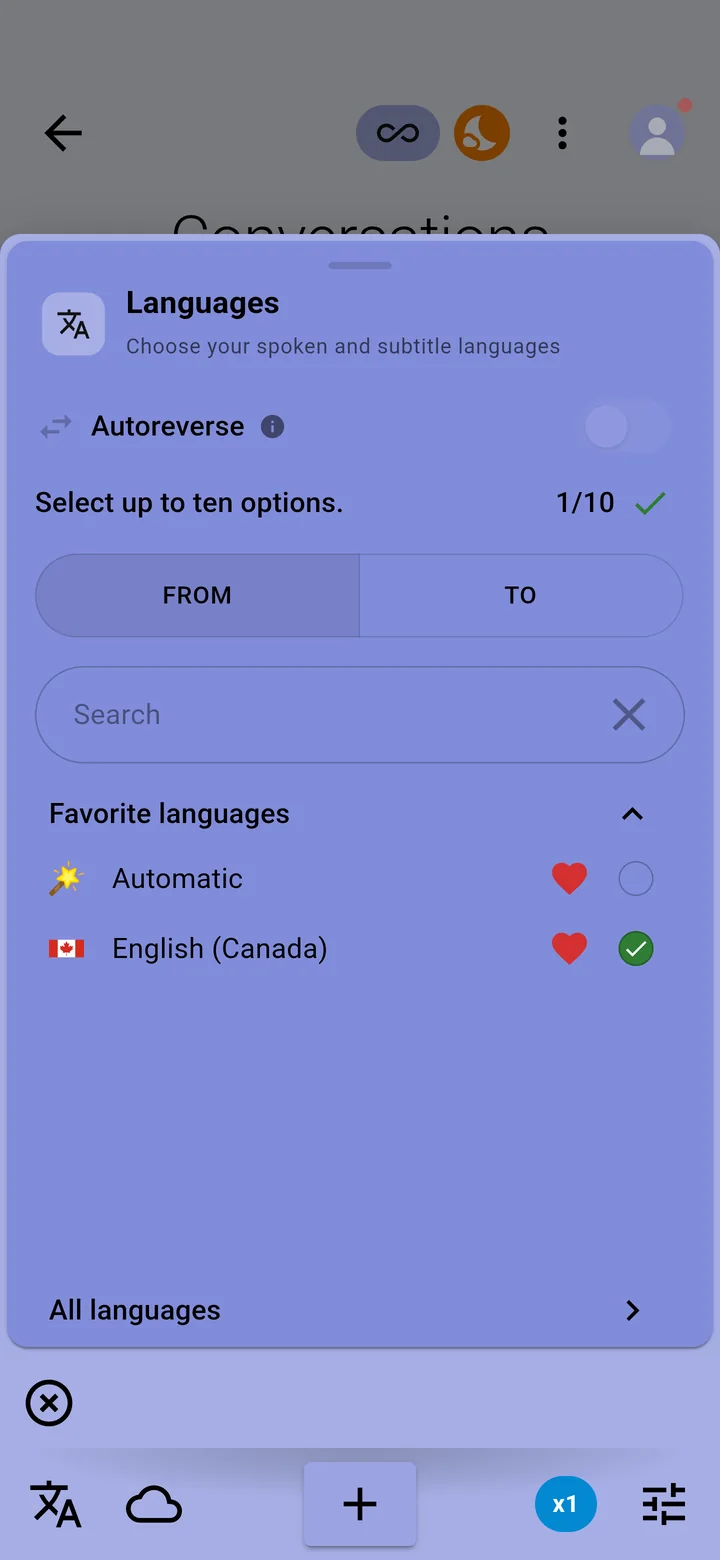
The spoken language
Choose the language people are speaking. You can choose up to ten at once if a conversation switches between languages, or Automatic to let the app detect it. Automatic detection is part of the Ultimate plan.
Translate the captions
Choose the language for the subtitles, or No translation to keep captions in the spoken language. Translation into more than 300 languages and dialects is part of Premium and Ultimate.
Favourites and search
- Tap the heart next to a language to add it to Favorite languages at the top of the panel.
- Type in Search, or open All languages, to find any other language.
Each language you translate into adds 1 to the rate at which Pro minutes are used. To hear translations read aloud, turn on Speak out translated text in the settings panel.
For a conversation between two languages, see Two-way conversations with Autoreverse.