
The AI Assistant answers questions spoken during a conversation, such as “Hey XRAI, summarise what we just discussed”. It runs on OpenAI's models with your own OpenAI API key.
Get an OpenAI key
- Sign in or register at platform.openai.com.
- Create an API key and copy it. OpenAI charges your account for what the assistant uses.
Turn on the assistant
- Tap your picture, then Settings.
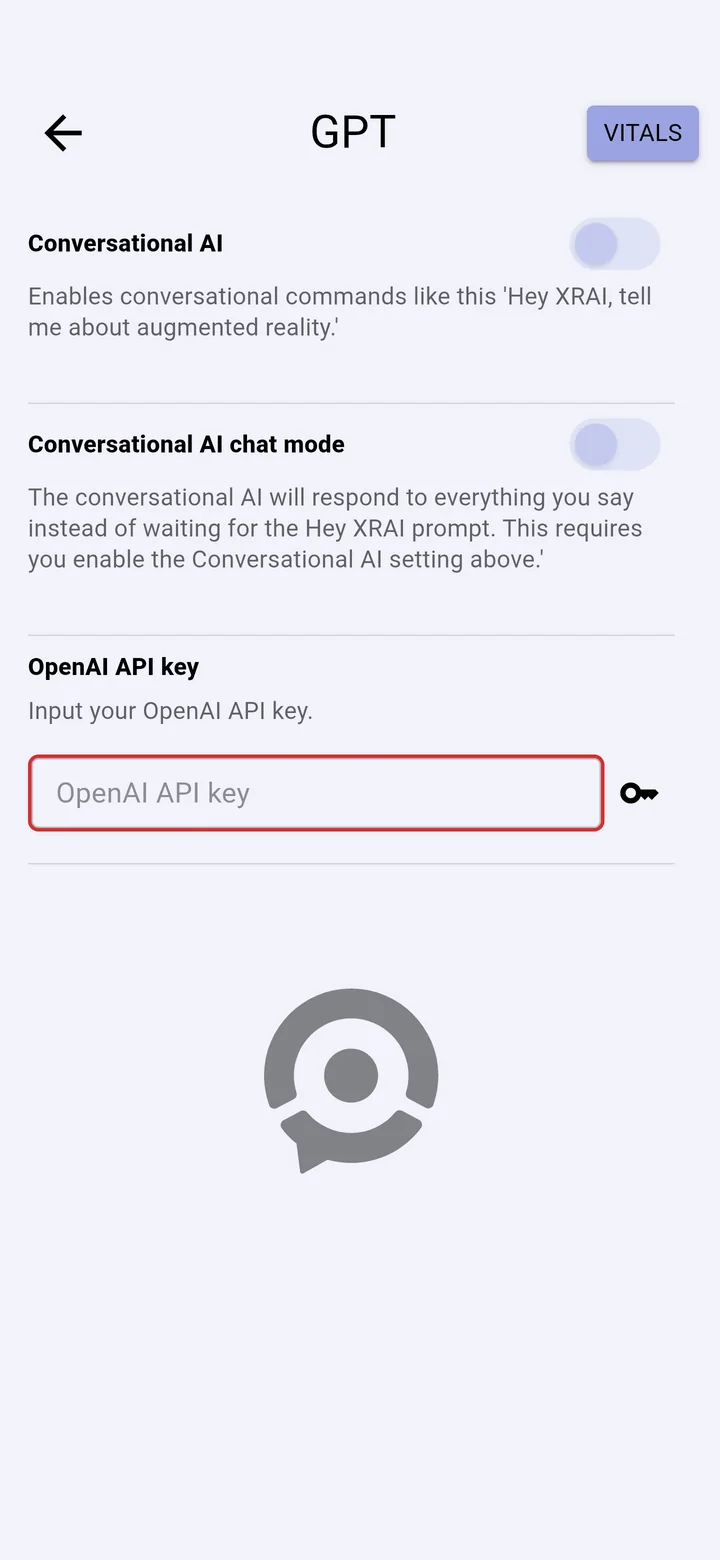
- Open More settings, then GPT settings.
- Paste your key into OpenAI API key.
- Turn on Conversational AI.
Ask a question
Start a conversation and say “Hey XRAI”, followed by your question: “Hey XRAI, what was this conversation about?”. You can leave the assistant on while you talk with other people; it only answers when you say “Hey XRAI”.
Conversational AI chat mode is for talking to the assistant on your own: you ask questions without saying “Hey XRAI” each time.