
- Tap your picture, then Settings.
- Tap Vitals in the top-right corner.
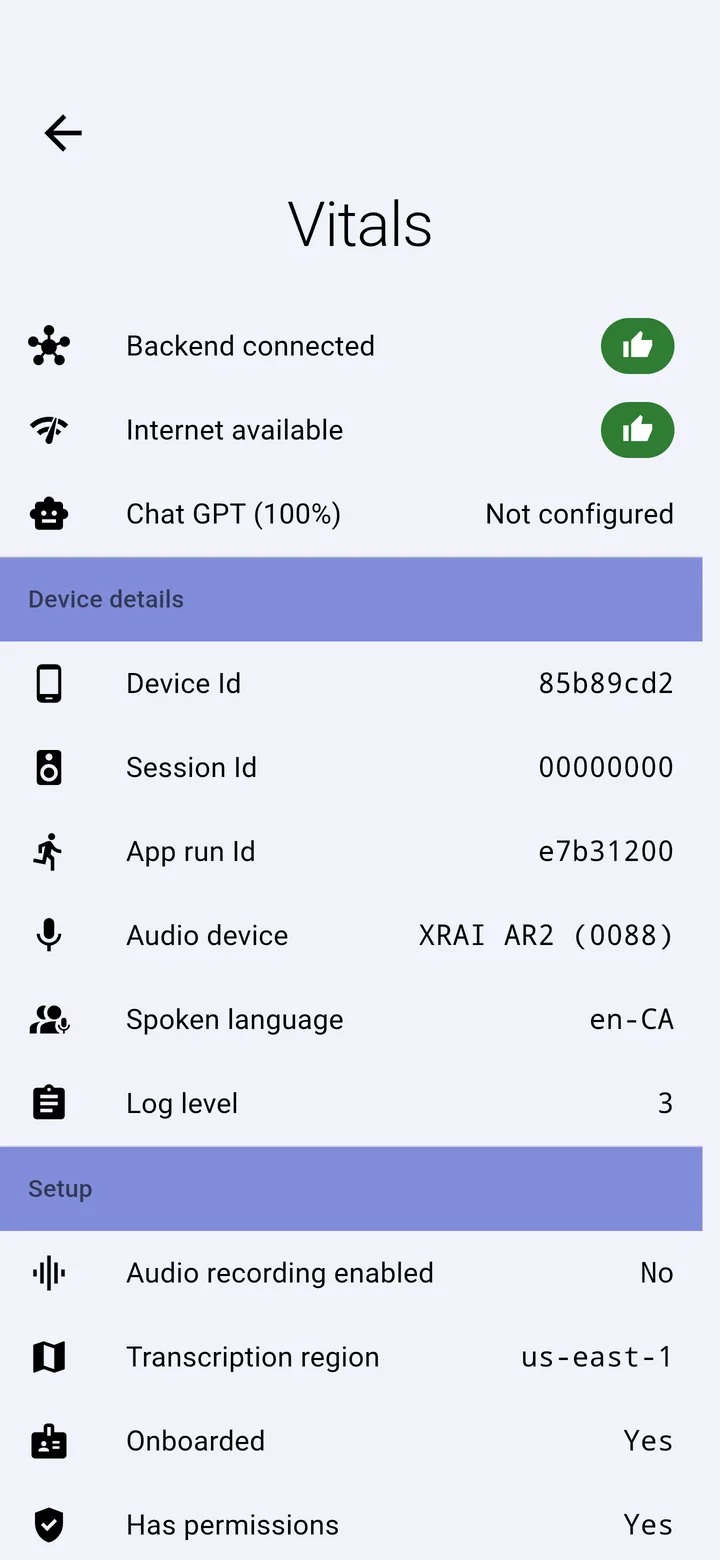
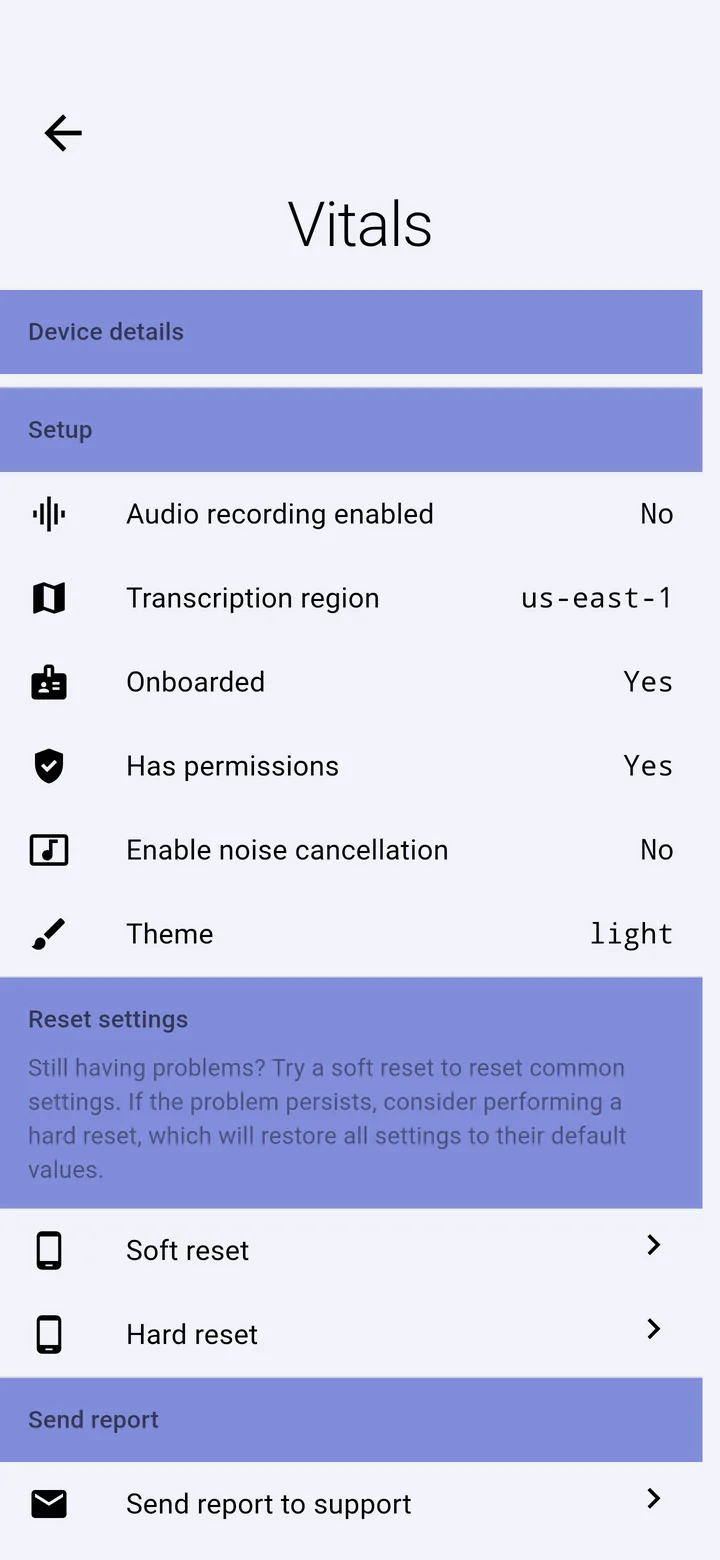
What it shows
- Backend connected and Internet available: both should show a green thumbs-up for cloud captions.
- Device details: the microphone in use, the spoken language and the identifiers our support team asks for.
- Setup: whether onboarding finished and the app has the permissions it needs.
Resets
- Soft reset puts the most common settings back to their defaults. Try this first.
- Hard reset puts every setting back to its default, signs you in again from the start, and forgets paired XRAI glasses. Pair them again afterwards.
Send report to support
Sends your app's diagnostics to our support team by email. See Send a report to support.