
Your requests are on your Trailglazer page at my.xrai.glass/trailglazer, and we email you each time someone asks for a demo or writes to you.
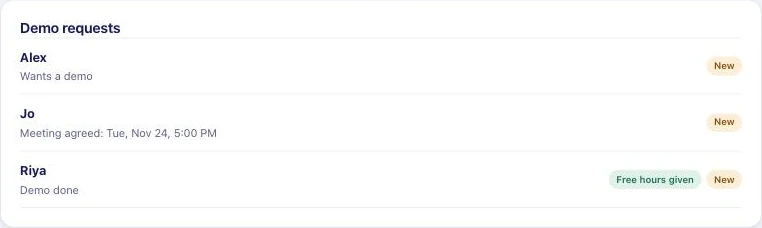
Answer a request
- Open the request and read the message.
- Click Accept and the person's name, or Decline. A request you don't answer within three days lapses, and we point the person to other Trailglazers.
- Write to them to arrange the demo. When you've settled it, click Suggest a time and place, choose the day and time, and say where. Times are in your own time zone.
When they agree, the meeting shows at the top of the conversation with Add to calendar. You both get a reminder the day before.
At the demo
- Meet only in public places. Never at your home or theirs.
- Show them your QR code, from Your demo QR code on your Trailglazer page. A purchase through it counts as yours.
- Be clear about what XRAI Glass does and doesn't do, and don't give medical advice. Clean the glasses before someone tries them.
- Never take payment yourself. People buy from XRAI.
After the demo
In the conversation, click The demo happened, or It didn't happen. We then email the person a link to the shop and ask them to confirm their demo.
If something goes wrong
Click Report a problem in the conversation and say what happened. Tick Block to close the conversation and stop the person asking you again. XRAI's team reads a conversation only once it has been reported.