
Trailglazers wear XRAI Glass every day and let people near them try their glasses. A demo is free, and there's no obligation to buy. You don't need an XRAI account to ask for one.
Find a Trailglazer
- Open my.xrai.glass/try.
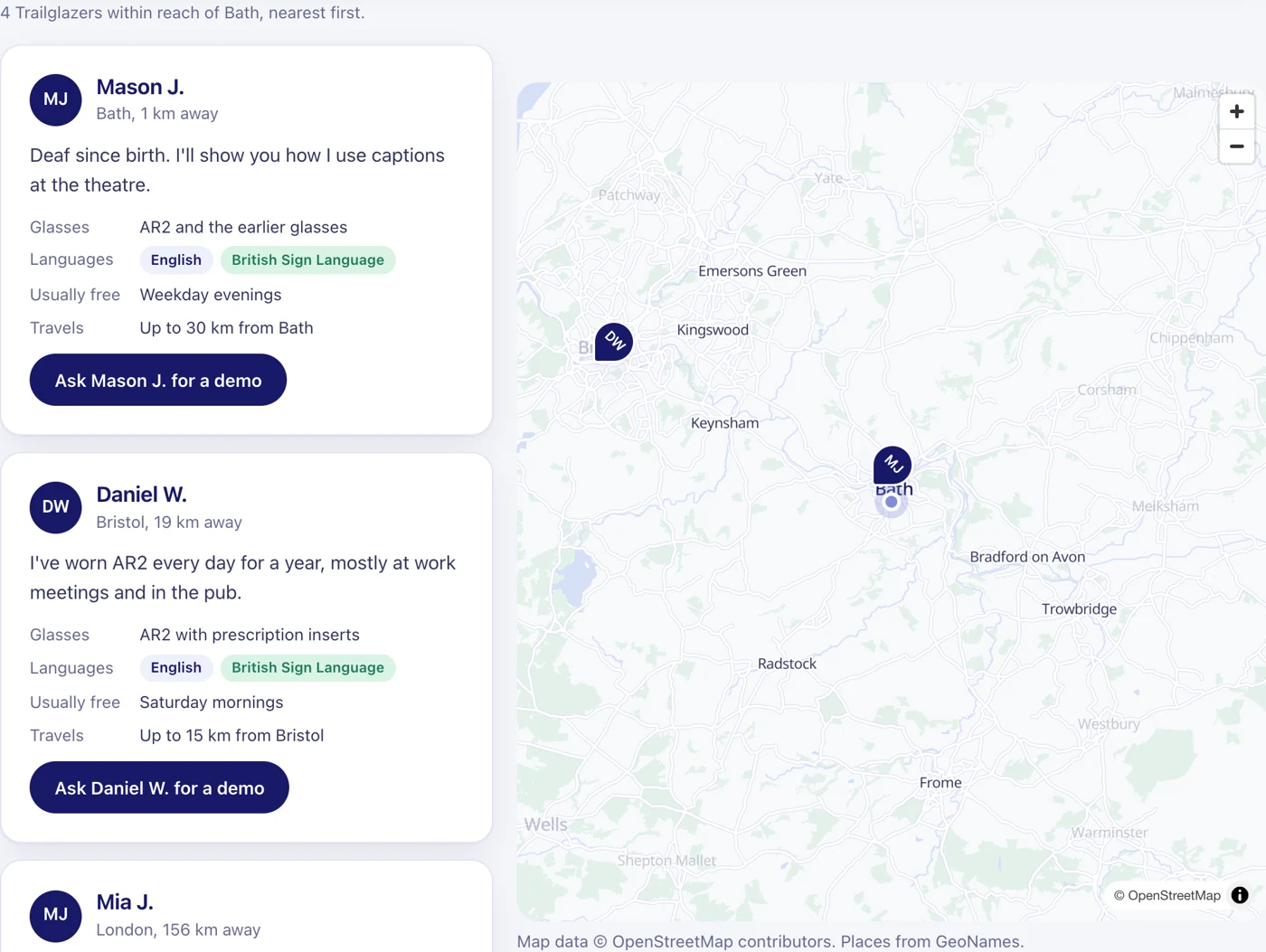
- Under Where are you?, type your town or postcode and choose it from the list, or click Use my location.
- Trailglazers within reach are listed nearest first, and shown on the map by their town. To see only those who speak or sign a language, choose it under Language.

Each Trailglazer shows the glasses they'll bring, the languages they can give a demo in, when they're usually free and how far they'll travel. The map shows only their town, never an address.
If there's no Trailglazer near you yet, enter your email address under Tell me when there's one near and your town. We email you once when a Trailglazer joins near you.
Ask for a demo
- Click Ask and the Trailglazer's name for a demo.
- Enter your name and email address, and a short message: roughly where and when suits you, and what you'd like to try the glasses for.
- Click Ask for a demo.
- Open the email we send you and click Open your conversation, then Send my request. Your request goes to the Trailglazer only then.
Keep that email: its link is how you come back to your conversation. The Trailglazer never sees your email address, and you never see theirs.
Agree a time and a place
We email you when the Trailglazer replies. In your conversation you can write to each other, and either of you can click Suggest a time and place. When the other agrees, the meeting shows at the top of the conversation with Add to calendar, and you both get a reminder the day before.
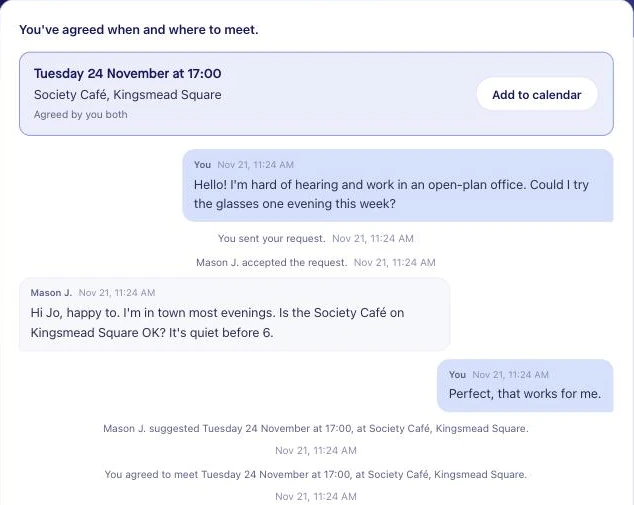
Meet somewhere public and easy to find, such as a café, a library or a station concourse. To call it off, click Cancel the demo.
After your demo
When the Trailglazer marks the demo as done, we email you a link to the shop. Please also confirm it happened in your conversation: click Yes, I had my demo, or No, it didn't happen if it didn't.
If something goes wrong
Click Report a problem in your conversation and say what happened. To stop the Trailglazer writing to you again, tick Block. XRAI's team reads a conversation only once it has been reported.