
Live captions sometimes mishear a name, a technical term or a word that sounds like another. AI can read a recorded session and suggest corrections for you to check. Nothing changes until you accept a correction.
Ask for suggestions
- In Recordings at my.xrai.glass, open the session.
- Choose the language to correct from the language menu.
- Select Suggest corrections.
AI reads the transcript for words the captions misheard. It takes a minute or two, and you can carry on with something else meanwhile. Only the parts of the session that aren't hidden are read.
Check each suggestion
The suggestions appear under Suggested corrections. Each shows the line's time, why the change is suggested, and the line with what was heard struck through and the correction underlined.
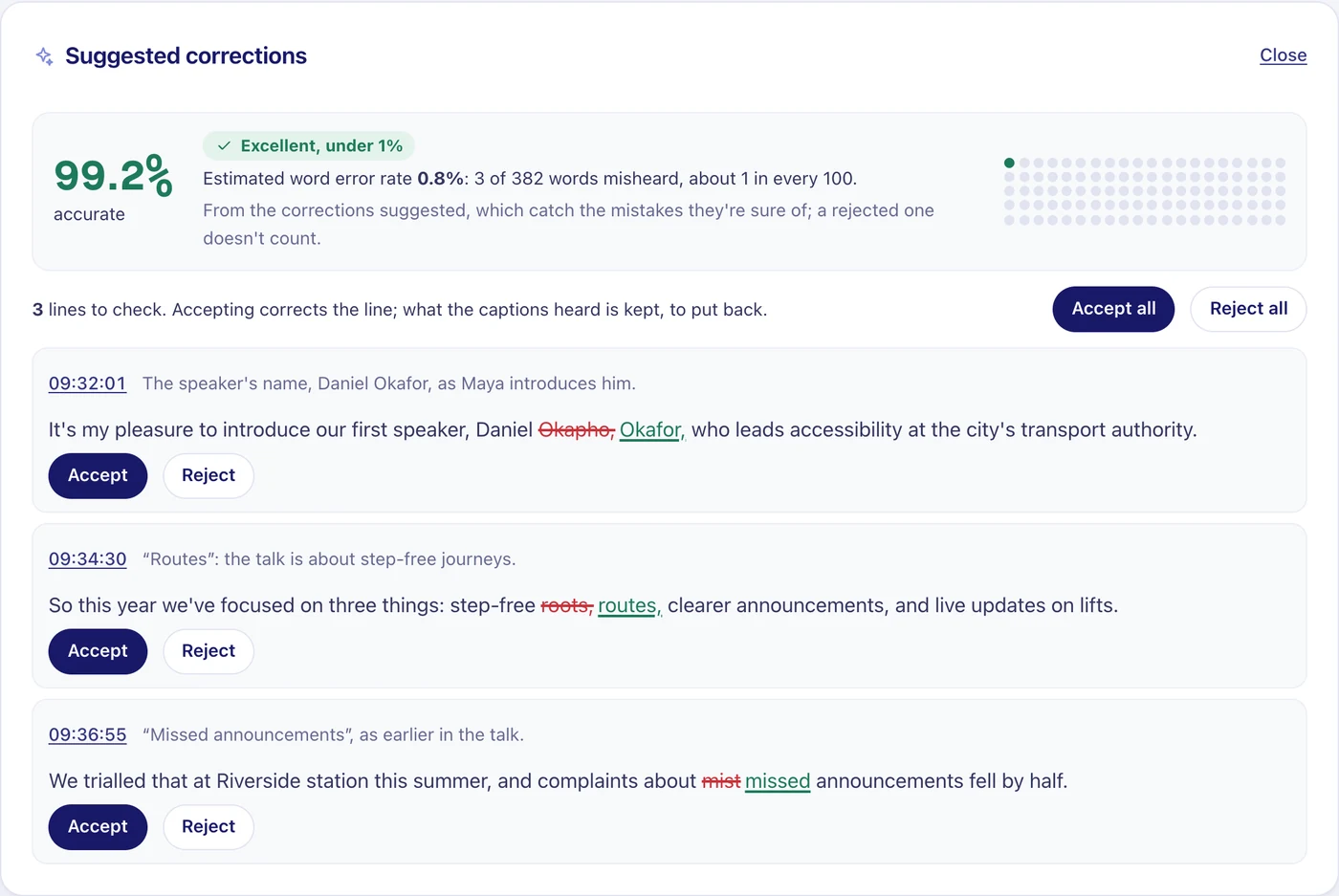
- Accept corrects the line. What the captions heard is kept, so you can put it back later: see Name, trim and hide parts of a session.
- Reject leaves the line as it is.
- Accept all and Reject all do the same for every suggestion left.
- Select a suggestion's time to find the line in the transcript.
If you've changed a line yourself since the suggestions were made, it's left as you wrote it. When there's nothing to correct, the panel says so.
Corrections change the language you chose only. Its translations stay as they were. Corrected lines show on the event's page, in summaries and quotes you make afterwards, and in downloads.
How accurate were the captions?
Once the suggestions are ready, the panel estimates how accurate the session's captions were:
| Part | What it means |
|---|---|
| Accurate | The share of words the captions got right, such as 99.2%. |
| Estimated word error rate | The share of words they got wrong: misheard, missed or added. It shows how many words that is, out of how many read, and about how many in every 100. |
| The 100 dots | A picture of 100 words, with one dot coloured for each misheard word in every 100. |
- Excellent, under 1% shows in green.
- Fair, 1 to 3% shows in amber.
- Poor, over 3% shows in red.
The score is an estimate. AI suggests only the corrections it's sure of, so a few mistakes may go uncounted. A suggestion you reject doesn't count as a mistake, so the score updates as you go.
Limits
- One request at a time for each session.
- Suggestions and summaries together: up to 30 requests an hour.
Select Suggest corrections again after other changes to have the session read again.