
Sessions you don't need, such as microphone tests, can go in the event's recycle bin. They leave the Recordings list and the event's page straight away, and you can restore them until they're deleted for good.
Move sessions to the bin
- In Recordings at my.xrai.glass, tick the sessions. The tick box beside a stage's name picks all of its sessions.
- In the bar at the bottom of the page, select Move to bin.

For 10 seconds afterwards, Undo puts them straight back.
If a session is still being recorded when you move it to the bin, it ends there. Anything said on that stage afterwards starts a new session.
The recycle bin
An event with sessions in the bin has a Recycle bin under its stages, showing how many sessions it holds. Select it to open it.
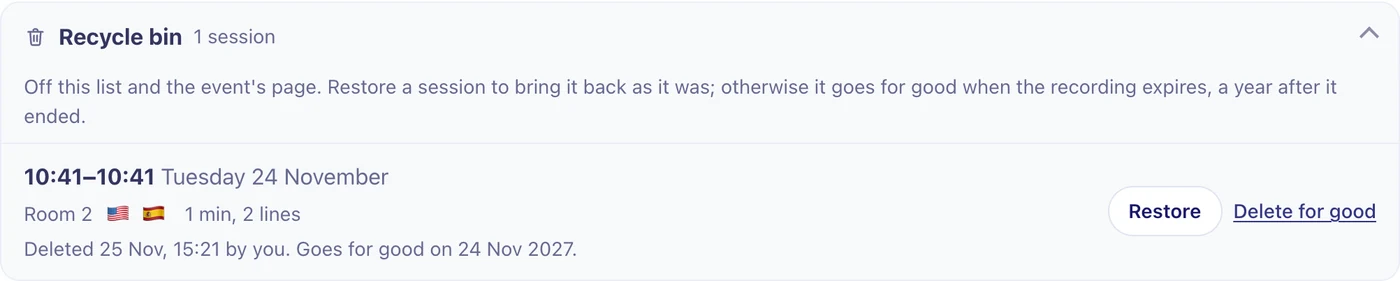
Each session shows its time and day, its stage, languages, length and lines, when it was deleted and by whom, and the day it goes for good.
Restore a session
Select Restore. The session goes back exactly as it was: a session that was on the event's page goes back on it, and one that was kept off stays off.
Delete a session for good
- In the recycle bin, select Delete for good beside the session.
- The page asks Delete it for good? This can't be undone. Select Delete for good again, or Keep it to leave it in the bin.
This removes the session and all its lines, in every language. A session can only be deleted for good from the recycle bin.
The bin empties itself
Recordings are kept for 12 months after the session ends, whether they're in the bin or not, and are then deleted for good. The bin shows the day for each session.