
Work through these in order. Most problems are one of the first three.
1. Is a conversation running?
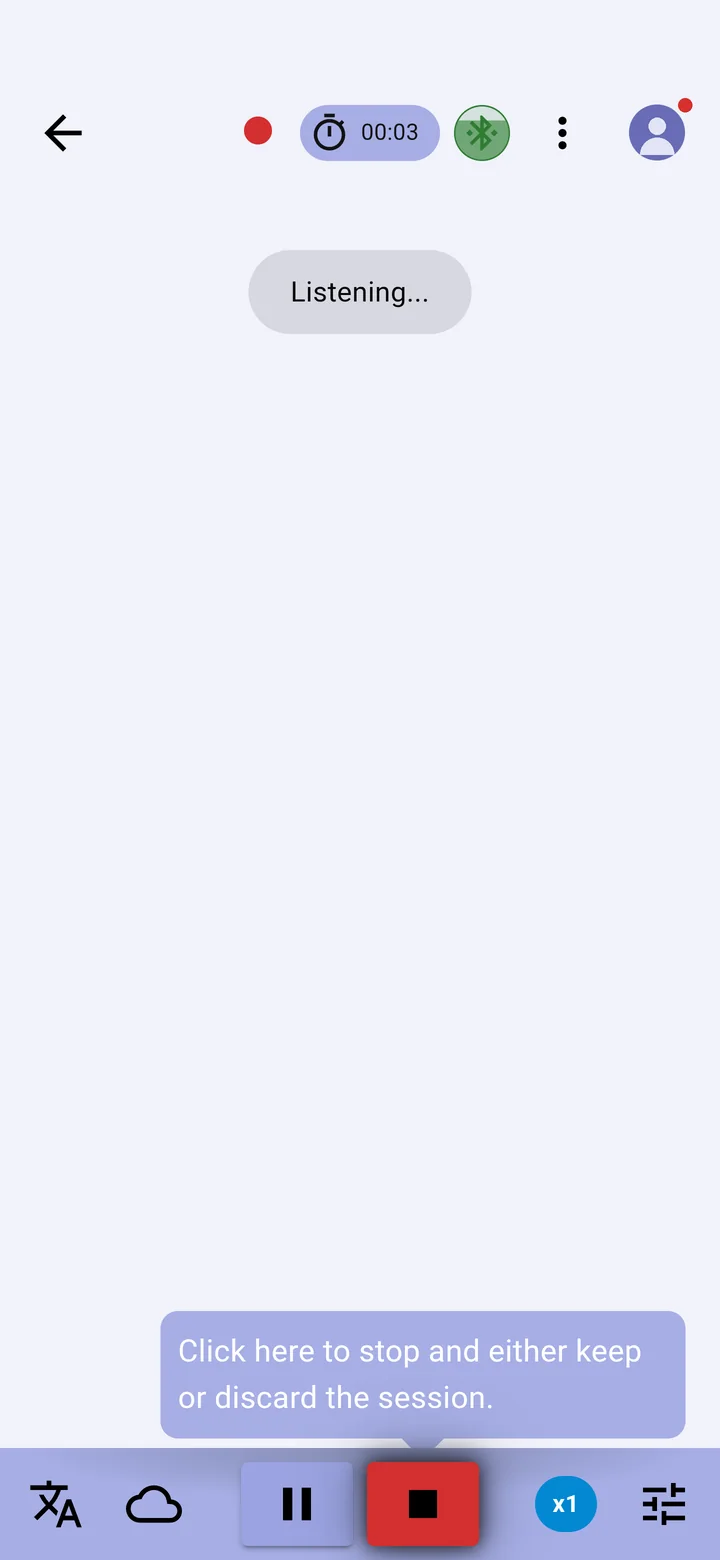
Tap + on the conversation screen. While the app is listening, a red dot and a timer show at the top and the screen reads Listening…. Captions appear when someone speaks. See Start, pause and stop a conversation.
2. Is the app listening to the right microphone?
Tap the settings icon, then the Audio tab, and look at Active audio source. If the microphone you chose isn't connected, for example glasses that are asleep or a headset that is switched off, the app doesn't switch to another one by itself. Connect it again, or choose Default, then start a new conversation. See Choose the microphone.
3. Is the microphone allowed?
Tap your picture, then Check permissions. Microphone must show Granted. See Check the app's permissions.
4. Is the spoken language right?
Tap the languages icon and check the FROM tab shows the language being spoken. Captions in the wrong language, or none, usually mean a different language is selected. See Choose languages and translate.
5. Is there a connection, or an offline engine?
- Cloud captions need an internet connection. On a weak signal they arrive late or stop.
- Without a connection, hold the cloud icon to switch to offline captioning. On Android, an offline engine must be downloaded first; until it has, the app shows that the engine is being prepared. See Use XRAI offline.
6. Are there Pro minutes left?
Cloud captioning stops when Pro minutes run out. Tap the rate chip at the bottom of the screen to see what is left, or switch to offline captioning, which is free. See Pro minutes.
If captions still don't appear
- With XRAI AR2 glasses, see Glasses connected but no captions.
- Open Vitals (tap your picture, then Settings, then Vitals) and check Backend connected and Internet available show a thumbs-up.
- Close and reopen the app, then try again. See If the app closes or won't start captioning.
- Send a report to our support team from Vitals. See Send a report to support.